

Overview
The surge of AI tools like OpenAI’s ChatGPT, Claude, and Gemini has sparked enormous interest and headlines. But behind the hype, the real magic comes from six core components that power every modern AI agent. The best part? You don’t need costly subscriptions or to hand over your dataanyone can assemble these six pieces for free on their own laptop, keeping full control and privacy. In this post, let’s break down the essential AI agent stack and show exactly how you can leverage it for business or personal use, without the recurring costs.
The AI Agent Breakdown: Six Components You Need
Despite impressive interfaces and high price tags from agencies, every powerful AI tool shares the same foundational structure. Understanding this will not only demystify the technology but empower you to build, customize, and run solutions tailored to your needs, all privately on your own system. Let’s dive into each core component.
1. The Model: Your AI “Brain”
The model is at the heart of any AI agent. This is the neural network that reads data, understands context, and generates responses. Open-source models like Quant 3 (an 8-billion parameter LLM) now rival proprietary giants such as ChatGPT and Claude. The beauty is, open-source options are free and run locallyno cloud required, and no data ever leaving your device.
2. Model Manager: The Librarian
A model manager handles everything related to your chosen AI models: downloading, storing, and serving them locally. Tools like Ollama (a popular option) let you install and run advanced models with a single command. Once the model is stored, it’s yours, always available and fully private.
3. Workflow Tool: The Assembly Line
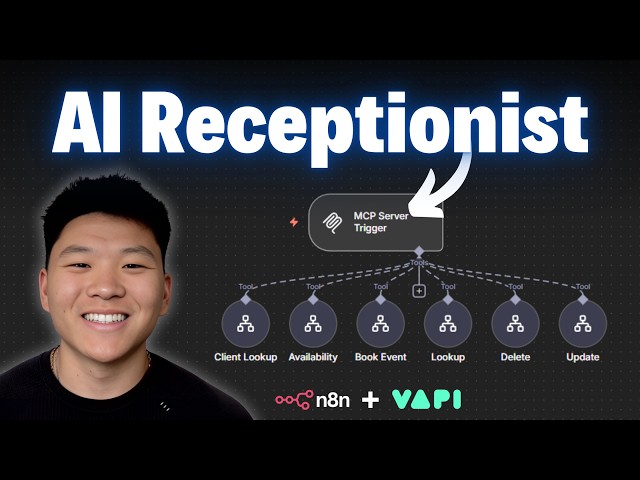
This software connects your AI model to real-world tasks, letting you automate actions and set up complex logic, often with zero coding. Nada is a well-known open-source workflow tool; it acts as the control center where you link triggers, instructions, and outputs together.
4. Trigger: The Starting Point
Every agent needs something that kicks off its workflowthe trigger. It could be a new email, a file upload, or a scheduled time. In Nada, this step is simply your first workflow node, bringing real-world data into your setup at the right moment.
5. Instructions: The Prompt
Instructions tell your AI exactly what to do, and plain English is all that’s required. For example: “Read my credit card statement, categorize each expense, and flag any charge over $100 that looks like a subscription.” No special syntax or technical skills required.
6. Output: Where Results Go
Once processed, your agent needs to send results somewhere: an email, spreadsheet, Slack channel, or any endpoint you choose. Nada handles this seamlessly, closing the automation loop.
Step-by-Step: Building a Real AI Agent for Free
Let’s walk through a practical buildcategorizing your credit card statements in minutes, without internet exposure or fees.
- Step 1: Download an open-source model (like Quant 3) using Ollama. One command, ten minutes, and the model is on your laptop. Offline, fully private.
- Step 2: Use Nada to build a workflow. Set the trigger to a file upload (for your statement PDF), and have it send the document to your local model.
- Step 3: Instruct the model: “Read this statement, categorize charges, flag recurring subscriptions over $100, and offer one piece of financial advice.”
- Step 4: Run the agent. In seconds, you get categorized expenses, flagged subscriptions you may have forgotten, and a smart tip on your spend patterns.
This workflow costs nothing and keeps sensitive data on your machine. No cloud services, no vendor lock-in, no data leakage. For business owners, this same approach can power invoices, expense reports, or any routine processall with local security and compliance.
Expanding to Business Use Cases
The AI stack described here isn’t just for personal finance. Imagine an agent that manages your email inboxfiltering, classifying, even drafting repliesall while never exposing your communications to third-party servers. For businesses in regulated industries (finance, legal, healthcare), these local deployments solve major compliance headaches. Sensitive client data never leaves your premises, putting you in full control.
Let’s say you get dozens of daily emails: an AI agent can classify incoming messages as needing reply, informational, spam, or suspicious. If a reply is required, the agent drafts itleaving you with just a quick review and send. The result? Drastically reduced time spent on routine tasks, all at zero cost.
Local vs. Hosted: Dispelling Myths
You can run all these components directly on your laptop or on your own privately-hosted server. Contrary to popular belief, “hosting” doesn’t mean public exposure: with the right configuration, only you access the server, typically for a few dollars a month. Whether local or self-hosted, your data stays in your hands, free from external prying eyes and ongoing subscription fees.
Conclusion
Virtually every AI agentfrom flashy demos to high-price agency solutionsrelies on the same six pieces: model, manager, workflow tool, trigger, instructions, and output. Powerful open-source tools make building these agents accessible and free, empowering users and businesses to automate, analyze, and act while keeping full data privacy. With a few simple steps, you can build sophisticated workflows that handle sensitive tasks, save time, and cut out unnecessary recurring costswithout ever sending your data to the cloud. The age of private, custom AI automation is here for everyone.
Note: This blog is written and based on a YouTube video. Orignal creator video below: