Overview
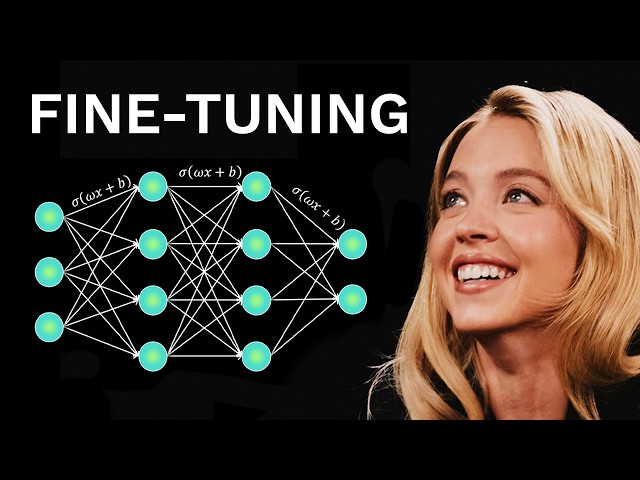
Fine-tuning artificial intelligence (AI) models has rapidly become a significant opportunity for professionals, entrepreneurs, and AI enthusiasts. Not only does fine-tuning allow you to adapt powerful base models to highly specific business tasks, but it can also create a real technological moat, setting your solution apart from off-the-shelf alternatives. In this comprehensive guide, you’ll discover what fine-tuning is, why it’s so valuable, and how you can start fine-tuning AI models even if you’re not a seasoned programmer.
What Is Fine-Tuning?
Fine-tuning refers to the process of adjusting a pre-trained AI model’s internal parameters (or weights) to improve its performance for specific applications. By leveraging the generalized intelligence of large language models (LLMs) and customizing them with domain-specific data, even smaller, efficient models can be tailored to outperform much larger, general-purpose ones like GPT-4 or future releases such as GBD5.
Why Fine-Tune Your Own AI Model?
- Startups and Competitive Advantage: Creating a fine-tuned model for your use case makes your solution harder to copy, helping you build a defensible business with lasting value.
- Unbiased and Uncensored Outputs: Fine-tuning allows you to control the model’s responses, which is valuable for organizations seeking to avoid the limitations or biases of mainstream AI providers.
- Skill Development: Learning to fine-tune models is a future-proof capability for anyone serious about AI, whether for career advancement or personal projects.
- Cost-Efficiency: Smaller specially-tuned models often run faster and require less computational power, making them more accessible and cost-effective.
Step-By-Step: Fine-Tuning Your First AI Model
Step 1: Choose Your Base Model
Start by selecting an open source AI model suitable for your application. Recent releases like GPT OSS 12B and GPT OSS 20B are ideal candidatesthey’re high-performing yet compact enough to be run on local hardware.
Step 2: Prepare Your Fine-Tuning Environment
Use an open source library such as Unslio for fine-tuning. You can quickly set up a collaborative Jupyter Notebook with platforms like Google Colab, which provides free access to GPUs (such as Tesla T4), enabling you to complete training without expensive hardware. Start by connecting to the runtime to ensure you have access to the system resources necessary for model training.
Step 3: Install Dependencies
Execute the initial code block to install essential libraries. Typical dependencies include numpy, transformers, and most importantly torch (PyTorch)a leading deep learning framework. These tools allow you to manipulate data, load models, and perform computationally intensive training runs.
Step 4: Configure the Model
Using the Unslio library, load your chosen base model (such as GPT OSS 20B). You generally shouldn’t adjust settings like sequence length or quantization unless you have specific requirementsthe defaults are well-selected for most use cases. Downloading the model at this stage primes your environment for a smooth fine-tuning experience.
Step 5: Add LoRA Adapters
Implement Low-Rank Adaptation (LoRA) adapters. This approach allows you to fine-tune only a small subset of the model’s parameters, making training efficient and less resource-intensive. Many modern fine-tuning frameworks include LoRA support built-in.
Step 6: Data Preparation
The most critical step in fine-tuning is your dataset selection. Good data is essential for meaningful results. The sample Colab notebook includes datasets like “Hugging Face H4 Multilingual Thinking,” designed for complex reasoning and multi-language tasks. You can replace these with your own data or other open datasets relevant to your goal. If you encounter errors (like mismatched schemas or multiple file datasets), specify the file to use explicitly by referencing the correct JSONL file within your dataset.
Step 7: Standardize Data Formats
Convert your dataset into a standardized conversation formatusually the user/assistant convention used in ChatGPT-like models. This ensures your model learns from conversational structure and is consistent across different data sources and applications.
Step 8: Run the Fine-Tuning Process
Now it’s time to train. Tweak hyperparameters such as learning rate, number of steps or epochs, and batch size to control the training process. For quick experimentation, run a limited number of steps (e.g., 60); for production-grade models, increase these values and consider upgrading to more powerful hardware (like Nvidia A100 GPUs on Colab Pro) for faster results.
Step 9: Test and Use Your Fine-Tuned Model
Upon completion, evaluate your model’s performance through inferencerunning the model to observe its responses compared to the original. With smaller models, you can even download and run them locally on high-end laptops or workstations, ensuring privacy and instant access. For broader accessibility, save your model to platforms like Hugging Face Hub, where it can be integrated into web apps or shared with collaborators.
Tips for Successful Fine-Tuning
- Always ensure your datasets are high-quality and representative of your desired application.
- Use LoRA or similar adapter methods to save memory and speed up training.
- If you face errors with dataset formats, break down the data into single files or unify schemas before training.
- Leverage Google Colab’s free GPUs for smaller experiments, but upgrade for full-scale production models.
Conclusion
Fine-tuning your own AI model is not just achievableit’s an empowering way to master the next frontier of AI technology. By customizing open source models with quality datasets, you unlock the full potential of artificial intelligence for your unique needs. Whether you’re building personal tools, launching a business, or seeking to differentiate yourself in your career, learning this process is an invaluable investment.
With the right frameworks, a careful approach to data, and the willingness to experiment, you can create powerful, private, and custom AI models within hours. Stay curious, keep building, and enjoy the journey into the world of AI fine-tuning!
Note: This blog is written and based on a YouTube video. Orignal creator video below: