Overview
Have you ever wished your AI could do more than just answer questions? The Model Context Protocol (MCP) is transforming how large language models (LLMs) interact with toolsmaking them exponentially more powerful, smarter, and easily productive. In this in-depth guide, you’ll discover how MCP servers, combined with Docker, empower your AI to seamlessly access local and remote resources, automate workflows, and even take on advanced tasks like hacking with Kali Linuxall from your desktop. Get ready to unlock a new era of AI tool integration!
What is MCP and Why Does It Matter?
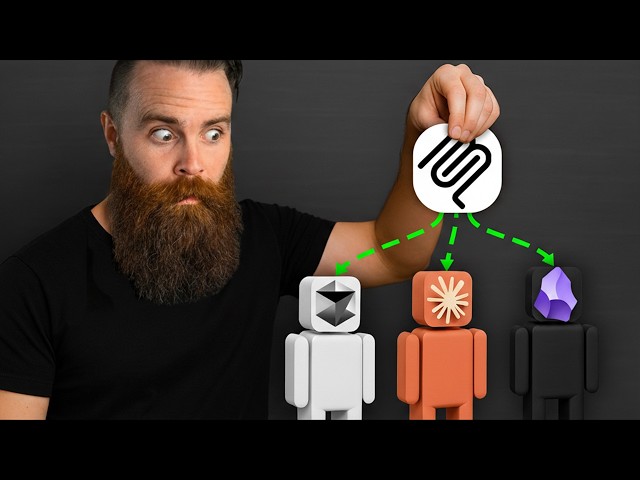
The Model Context Protocol (MCP) is a groundbreaking standard developed by Anthropic, designed to bridge the gap between language models and external tools. Imagine giving your AI assistant access to your favorite appsObsidian, ClickUp, browsers like Brave, and even security platforms like Kali Linuxwithout ever touching a line of complex integration code. MCP achieves this by acting as an abstraction layer that hides the intricacies of APIs, authentication, and code, making tool access ridiculously simple for LLMs.
Much like USB-C unified the world of device cables, MCP standardizes how models connect to tools, enabling a growing ecosystem where any compliant AI can tap into powerful capabilities. Now, both local and remote apps can open their functionalities to AI, and you don’t have to be a developer to connect the dots.
Why Traditional Approaches Fall Short
Prior to MCP, integrating AI with productivity tools was unwieldy. APIs required knowledge of endpoints and authentication, building UIs was cumbersome, and exposing code directly was either insecure or simply unfeasible. While user interfaces (GUIs) make things easy for humans, they create friction for AIs, which operate best in text-based environments. Even APIs, while programmatic, required extensive documentation mapping and explicit coding for every interactiona tedious, non-scalable solution.
MCP servers change the game. They encapsulate all the code needed to handle tool actions, abstract API documentation complexities, and leave AIs with a simple, text-based command: “Ask for what you want.” No more worrying about endpoints or tokensthe server handles it all.
Getting Started: Running MCP Servers Locally with Docker
The rise of Docker’s MCP Toolkit has made running MCP servers locally easier than evereven for beginners. All you need is:
- Docker Desktop (available for macOS, Windows, Linux; WSL2 or HyperV for Windows users)
- An LLM client app (like Claude Desktop, LM Studio, or Cursor) that supports MCP connections
With Docker Desktop installed and the MCP Toolkit enabled (under Beta Features), you have immediate access to an expansive catalog of official MCP servers, covering tools like Obsidian (for note-taking), DuckDuckGo, Brave Search, YouTube transcript fetching, and much more.
Connecting AI Apps to MCP Servers
Modern LLM-friendly applications now typically come with MCP client support. Connecting them involves just a few clicks or configuration changes, after which your AI gains the ability to issue tool requests like “create a note in Obsidian” or “search my vault for tea notes.” Rather than relying on confusing documentation or APIs, the LLM receives a clear description of available tools and can act accordinglywith user-approved permissions, of course.
Custom-Building Your Own MCP Servers
Perhaps the most exciting advancement is the ability to build your own MCP servers for anythingfrom rolling dice for D&D games to integrating with advanced APIs like Toggle (time tracking) or building penetration testing servers using Kali Linux. The process is streamlined:
- Write a detailed prompt describing desired actions.
- Let a capable coding LLM (like Claude Opus, GPT-4, or DeepSeek) generate the server code, typically outputting a Dockerfile, requirements.txt, server script, and relevant configs.
- Build the Docker container using
docker buildand register it in your MCP catalogs and registry files. - Connect your LLM client to the new serverdone!
Using Docker brings advantages such as secure secrets management (handling API tokens safely), effortless scaling, and shared custom catalogs. Troubleshooting is also made simple through integrated logging and config files.
Power Workflows with the Docker MCP Gateway
Docker MCP Gateway takes orchestration to another level. Rather than configuring individual server connections for every tool, the gateway centralizes access: you add MCP servers to the gateway and connect your AI app to the gateway once. Now your AI can see and use every tool exposed by the gateway, which means faster setup, easier security management, and a cleaner workflow. Whether you’re searching Airbnb listings, fetching YouTube transcripts, or running hacking tools, it’s all managed in one place.
Local vs Remote MCP Servers: Flexibility for Any Workflow
MCP isn’t limited to your machine. While local MCP servers use Docker to spin up containers on demand (with secure, low-latency communication via standard input/output), remote MCP servers are also supported via HTTP/S and Server Sent Events (SSE). This enables you to tap into public servers (like CoinGecko for crypto pricing), run headless AI servers in a business environment, or hook into advanced automation platforms such as N8Nall while keeping security and scalability in focus.
Advanced Uses: Hacking with Kali Linux (and Beyond)
One of the show-stopping demonstrations is using MCP servers to run Kali Linux inside a Docker containeron-demand, with guardrails and permissions managed securely. This makes it possible for LLMs to execute security scans, test networks, and even automate cybersecurity tasks, all by issuing plain English commands. As support grows and catalogs expand, expect to see even more powerful use-cases, from DevOps automations to business process integrations.
How It Works Under the Hood
Every time an MCP server is invoked, Docker quickly spins up the required container, executes the tool request, and tears down the containerkeeping resources light and risks low. For local executions, everything happens on your system; for remote, connections are managed securely over the network using standard protocols. Configuration is handled via simple YAML files, and all tools remain at your fingertips through the Docker MCP Gateway.
Conclusion
The emergence of Model Context Protocol and the Docker MCP Toolkit represents a true leap forward in practical AI deployment. By abstracting away API headaches and making tool integration accessible to anyone, MCP democratizes advanced automation, knowledge work, and even security testing. Whether you’re a business professional seeking new AI superpowers, a power user wanting to build your own integrations, or just an enthusiast eager to try the next frontierlearning MCP will give your AI new wings. Experiment, connect, and create: the gold rush for AI tool mastery is happening right now.
Note: This blog is written and based on a YouTube video. Orignal creator video below: