

Overview
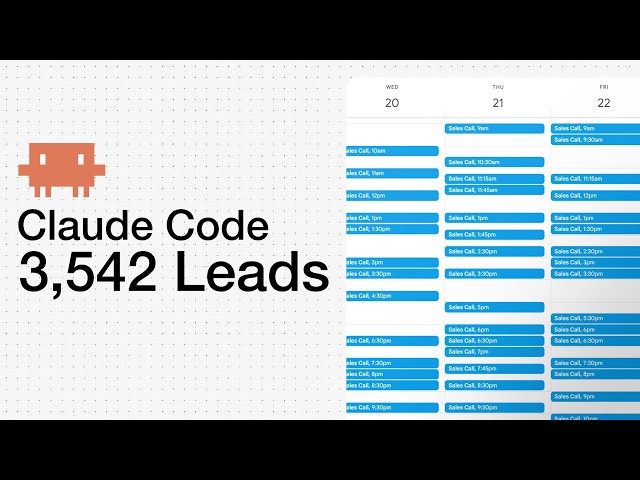
The landscape of lead generation is evolving faster than ever, thanks to powerful AI tools like Claude Code. What once took hours of manual effort and coordination can now be accomplished in a matter of minutes, streamlining workflows, enhancing personalization, and improving overall results. In this guide, we’ll walk you through building a modern, end-to-end lead generation pipeline with Claude Code, leveraging industry best practices for cold email outreach and automated campaign management.
The Evolution of Lead Generation: From Manual to AI-Driven
For years, teams dedicated countless hours to repetitive, manual workflows just to generate and qualify leads. Traditional AI tools often fell short of delivering truly personalized and high-quality cold emails at the necessary scale. But with advancements in generative AI and Claude Code in particular businesses can now automate the bulk of their lead generation process without sacrificing quality or losing that crucial human touch.
Getting Started with Claude Code
The first step is getting familiar with Claude Code, Anthropic’s AI-powered development environment designed for automation and workflow orchestration. Claude Code can be accessed in several ways:
- Terminal/CLI: Ideal for quick commands and chatbots, directly from your Mac, Windows, or Linux terminal.
- IDE Integration (VS Code, Cursor): A feature-rich environment allowing you to manage files, code, and AI chat all in one window. Cursor is particularly favored for these workflows.
- Desktop Apps: Downloadable versions for macOS and Windows with built-in support for Claude Code and co-working features.
- Web & JetBrains Support: Other platforms are available but are less central for this workflow.
Choosing the right environment depends on your comfort level and workflow preferences, but the integration with IDEs like Cursor often allows for the most seamless experience, bringing together code, AI interaction, and asset management under one roof.
Equipping Your Pipeline: Context and Capabilities
To enable Claude to deliver contextually relevant and actionable output, provide it with both background knowledge (about your business, product, or target industry) and the technical capabilities it needs. For example, integrating tools such as Instantly CLI is essential. This tool lets your AI agent interact with cold email platforms, verifying leads, creating campaigns, and managing outreach directly from your development environment.
-
Install Instantly CLI: Retrieve the command from your resources platform and install it at the project level using:
npm i instantly-cli - Generate Your API Key: In the Instantly dashboard, navigate to settings, integrations, and create an API key with the necessary permissions.
- Configure Claude Code: Set your working directory, install the Claude Code extension (if using Cursor), and prepare your lead list CSV. This enables the AI to reference and utilize your actual lead data efficiently.
Personalizing Cold Email Outreach with Claude Code
Effective cold email is about much more than just sending templates it’s about crafting each message as if you’ve deeply researched the recipient. The approach emphasized here includes:
- Using no templates or generic phrases; every email is unique and highly relevant to the recipient’s industry, pain points, and business context.
- Approaching outreach as a business development professional who’s investing real effort into understanding each contact.
- Ensuring emails are concise (under 100 words), easily readable on mobile, and formatted with short paragraphs (1–2 sentences each).
- Starting with a compelling, personalized hook that immediately grabs attention in the first sentence.
- Focusing every email on new, insightful information not just direct sales pitches. The CTA should be low friction, often just inviting the recipient to learn more rather than scheduling a call immediately.
Enriching, Segmenting, and Quality-Controlling Your Lead Data
An up-to-date and well-segmented CSV is the backbone of any outreach campaign. With Claude Code, you can:
- Use Python (and lighter CSV libraries like Polars) to quickly analyze and cohort your leads for targeted campaigns.
- Enrich lead data with industry context and ideal customer profile (ICP) insights to further personalize each campaign.
- Sequence your outreach based on the most likely segments to convert, ensuring high data quality before launching any campaigns.
Automating Campaign Creation and Personalization at Scale
With Claude Code orchestrating your scripts and Instantly CLI handling email campaign management, you can deploy fully personalized campaigns in just a few steps:
- Upload and analyze your CSV within the project environment.
- Use Claude Code to write individualized cold emails using the contextual insights you provided earlier.
- Set up your .env.local file to store API keys securely (keeping them out of public repositories).
- Create personalized campaign steps:
- Email 1: Immediate send, with a strong hook addressing the prospect’s unique situation.
- Email 2: Value-add follow-up 3 days later in the same thread (no new subject line), offering new insights instead of just “bumping” the previous email.
- Email 3: Net new message after 7 days, reframed to provide a fresh perspective or business case.
- Push all campaign steps to Instantly via the CLI, verifying deliverability scores, formatting, and avoiding any spam triggers.
This process ensures every recipient gets messaging tailored to them not just a copy-paste and that your campaign quality remains high even as you scale.
Verifying Quality and Ensuring Deliverability
Before launching outreach at scale, always review the generated campaigns for:
- Quality and accuracy: Double-check personalization, hooks, and pain points for each recipient.
- Proper formatting: Ensure short, readable paragraphs and new lines for mobile optimization.
- Spam scores: Leverage deliverability scoring tools to keep messages out of junk folders.
Once everything checks out, your campaign is ready to launch and Claude Code can maintain context across chat sessions, letting you iterate and improve with minimal friction.
Conclusion
The combination of Claude Code and Instantly CLI has redefined what’s possible with cold email lead generation. Not only can you automate the technical process end-to-end, but you can also maintain or even enhance the level of personalization and relevance that truly drives results in B2B outreach. By focusing on quality, concise messaging, and insightful follow-ups, you’ll create campaigns that not only land in inboxes but also spark real conversations and opportunities. Embrace this new workflow, and transform your approach to lead generation in record time.
Note: This blog is written and based on a YouTube video. Orignal creator video below: